Today, I am sharing a huge
SOLUTION to an annoying issue with the new
Brave browser not opening in
Linux Mint (for example). This article assumes you have successfully installed Brave on your system and cannot open the fool thing to save your life! You've tried
EVERYTHING those forums recommended and...
So, without further ado, here is my step-by-step process:
1. OPEN a
Nemo file system explorer window.
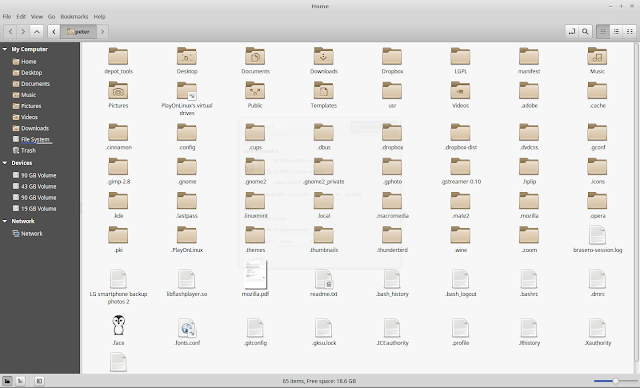
2. SEARCH for "chrome-sandbox."
3. RIGHT-CLICK the result (highlighted above) which is located in the
/home/peter/PlayOnLinux's virtual drives/Windows/dosdevices/z:/opt/google/chrome folder. This contains the all-important
/opt/google/chrome folder. On my system, this was buried inside a virtual drive, which may or may not be the case in your situation. Also, please disregard those other search results in the graphic, as they were created by me later.
4. From the context menu, choose "Open containing folder."
5. RIGHT-CLICK on any blank space inside the new
Nemo window to open a context menu, and choose "Open as Root." This will elevate your privileges and enable you to copy this program (shown below) to its destination folder.
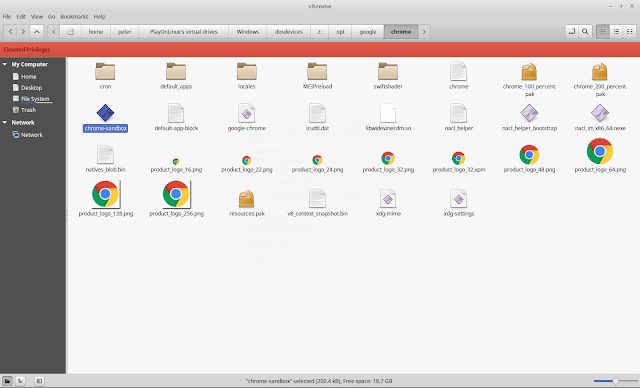
4. COPY the
chrome-sandbox icon (shown above) with Ctrl+C or right-click and copy.
5. OPEN a new
Nemo window and search for
Brave. Find the result for "brave" under the Program type (see below) and RIGHT-CLICK it. This will bring up a context menu, where you will choose "Open containing folder."
6. RIGHT-CLICK on any blank space inside the new
Nemo window to open a context menu, and choose "Open as Root." This will enable you to PASTE the
chrome-sandbox program you just copied into the
/usr/lib/brave folder.
7. Open the Brave browser.
Enjoy. Repeat... Let me know if this works !!! Thanks.


